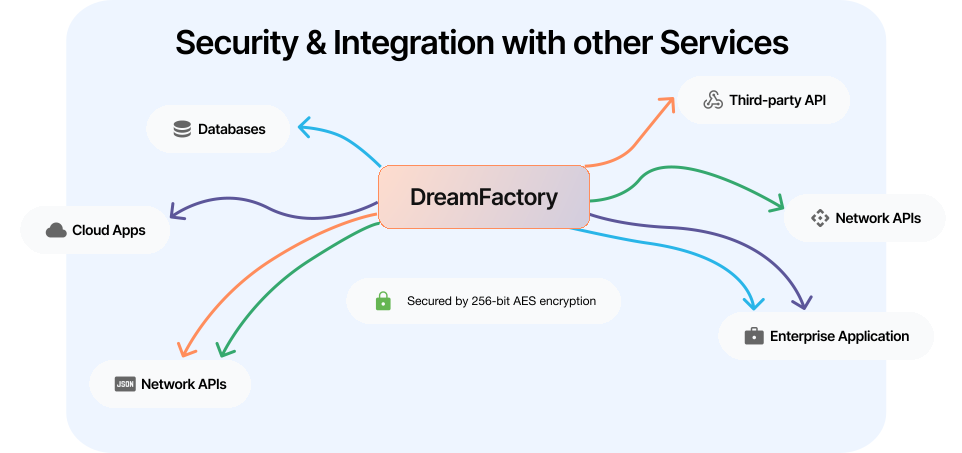
Creating APIs for Amazon S3 with DreamFactory
Welcome to our guide on generating an API for Amazon S3 using DreamFactory's powerful connector!
In this post, we will explore how DreamFactory simplifies the process of creating and managing APIs for Amazon S3, unlocking the full potential of your cloud-based storage.
Generating the Amazon S3 REST API
To commence generating your Amazon S3 REST API, you’ll login to the DreamFactory administration interface, navigate to API Generation & Connections and then enter the service creation interface by clicking on the File dropdown button under the API Types submenu.
Then, press the + button to start building your API!
Step 1: Select your file service type
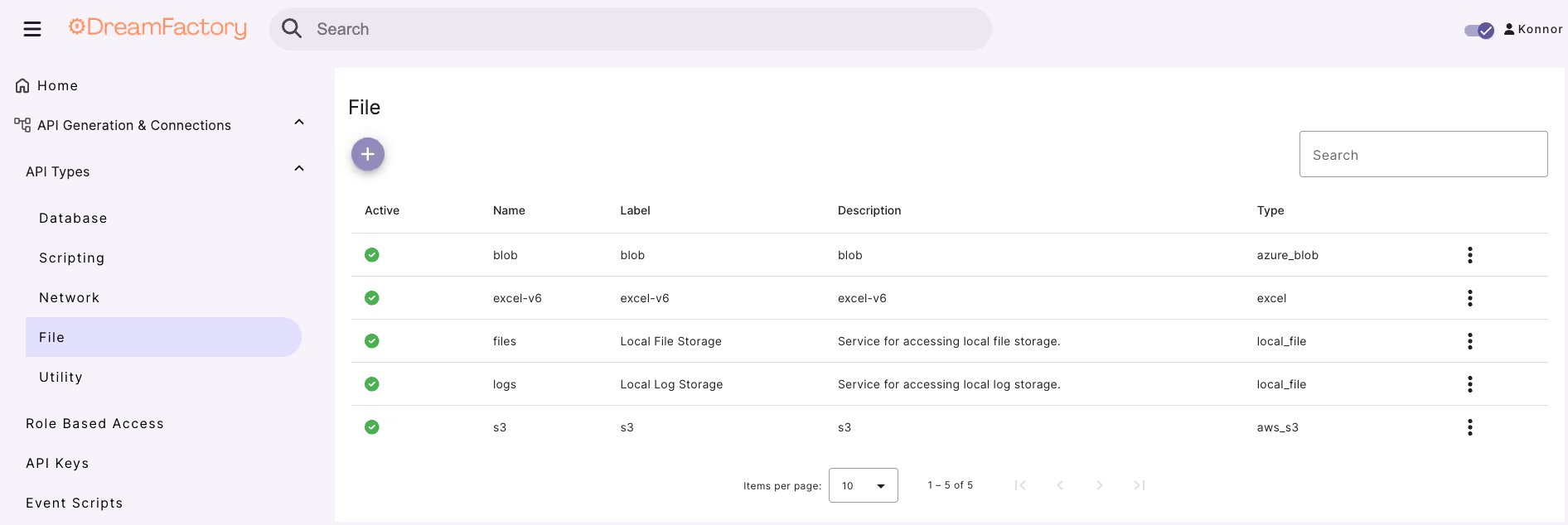
Then, press the “+” button.
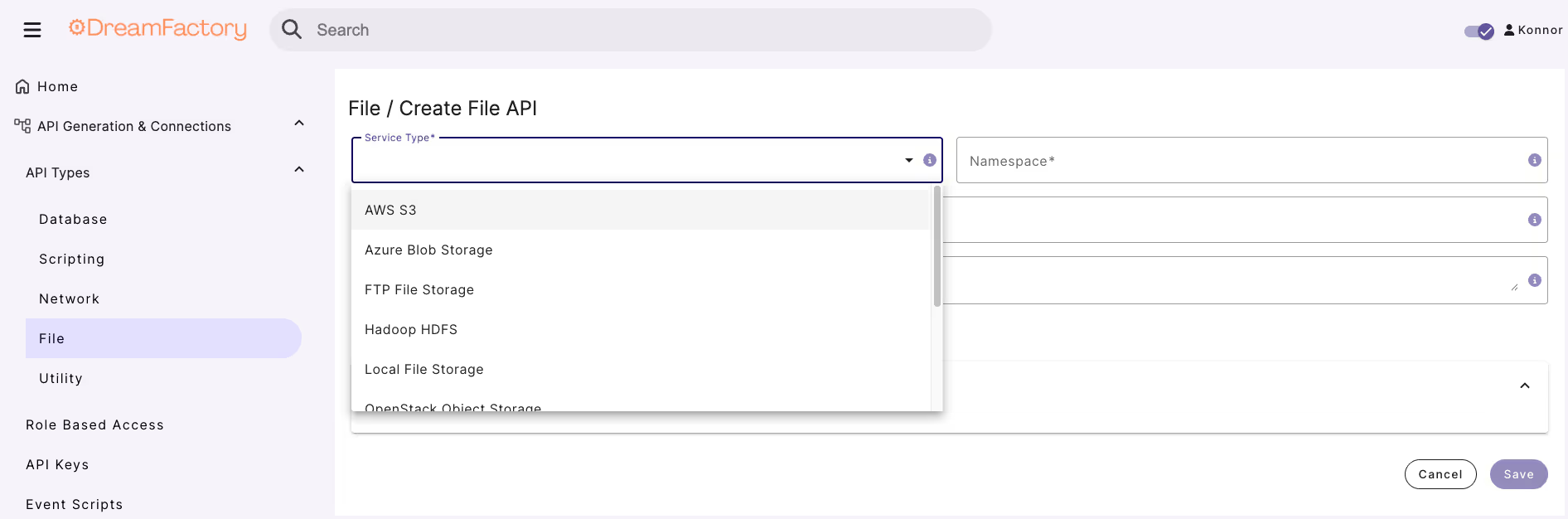
From the Service Type dropdown, select the Amazon S3 connector.
Step 2: Provide a name, label, and description for your file service type
Next, you’ll be prompted to provide a name, label, and description.
The latter two are used just for reference purposes within the administration interface, however the name value is particularly important because as you’ll soon see it will comprise part of the API URL.
Step 3: Enter file service type connection credentials
Finally, click on the Advanced Options tab.
Here you’ll be prompted to provide the file service type connection credentials.
This should really be nothing new; you’ll supply a host name, username, password, and file service type.
Additionally, you can optionally specify other configuration characteristics such as driver options, the time zone, and caching preferences.
For the purpose of this tutorial I’ll stick to the required fields and leave the optional features untouched.
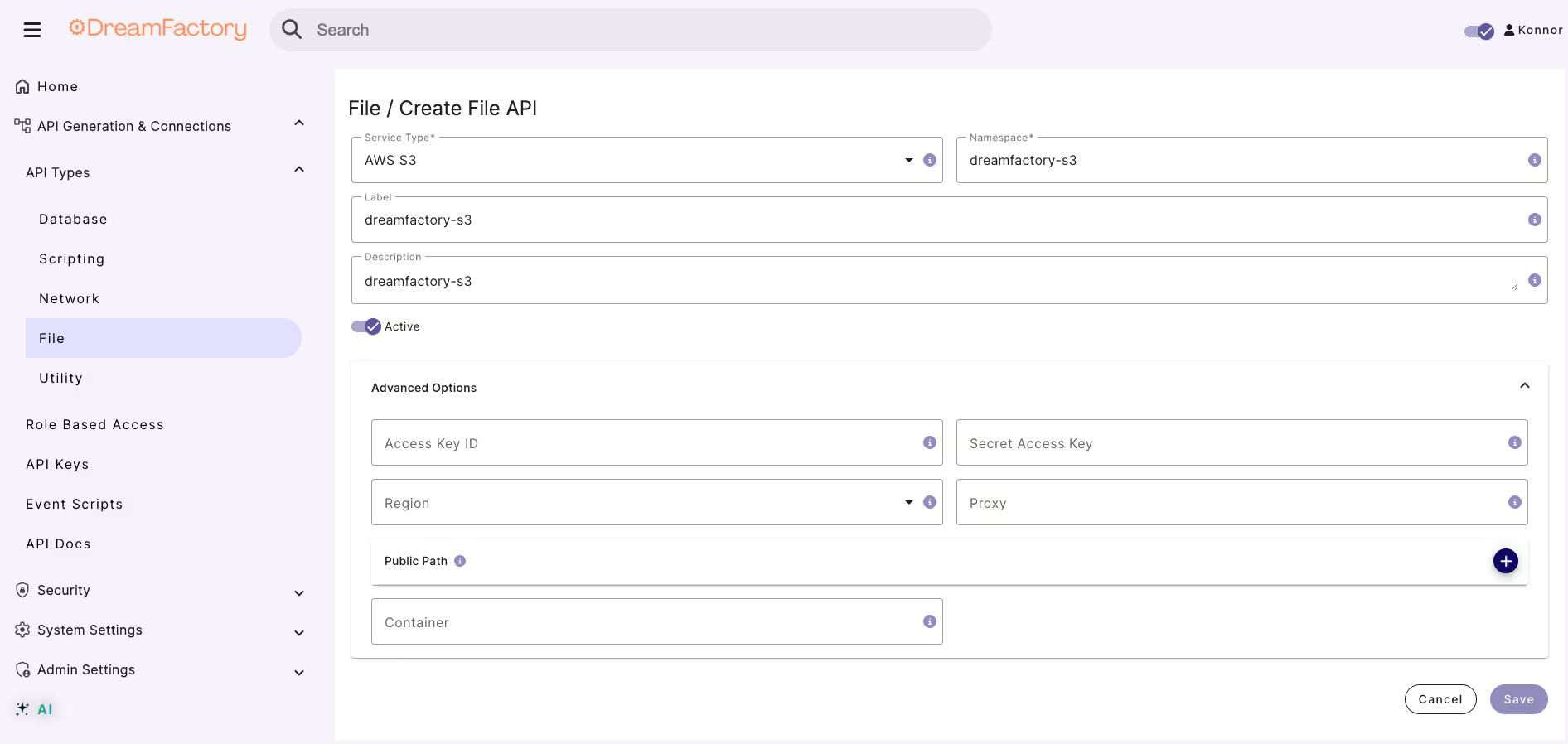
Here you’ll be prompted to provide the database connection credentials.
This should really be nothing new; you’ll supply a host name, username, password, and database.
Additionally, you can optionally specify other configuration characteristics such as driver options, the time zone, and caching preferences.
For the purpose of this tutorial I’ll stick to the required fields and leave the optional features untouched.
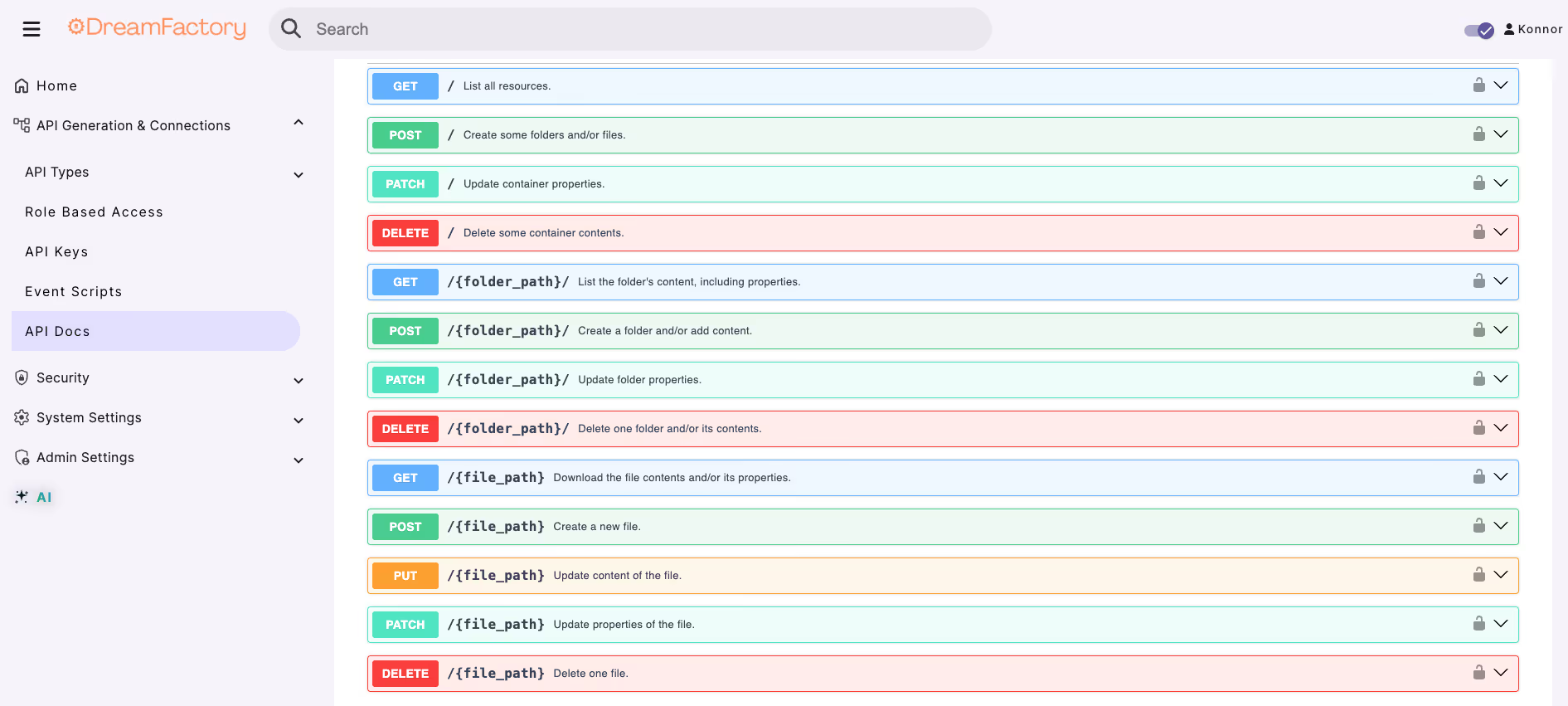
Instant API Documentation
DreamFactory provides robust API documentation capabilities, automatically generating comprehensive, interactive API docs for every generated API.
These docs are available through a web-based interface, allowing developers to explore endpoints, view parameter details, and test API calls directly within the documentation.
This feature ensures that APIs are easy to understand, use, and integrate, significantly reducing development time and enhancing collaboration across teams.
The documentation is continuously updated to reflect any changes in the API, ensuring accuracy and reliability.
Step 4: Interact with your auto-generated API Documentation to find the curl command & request URL