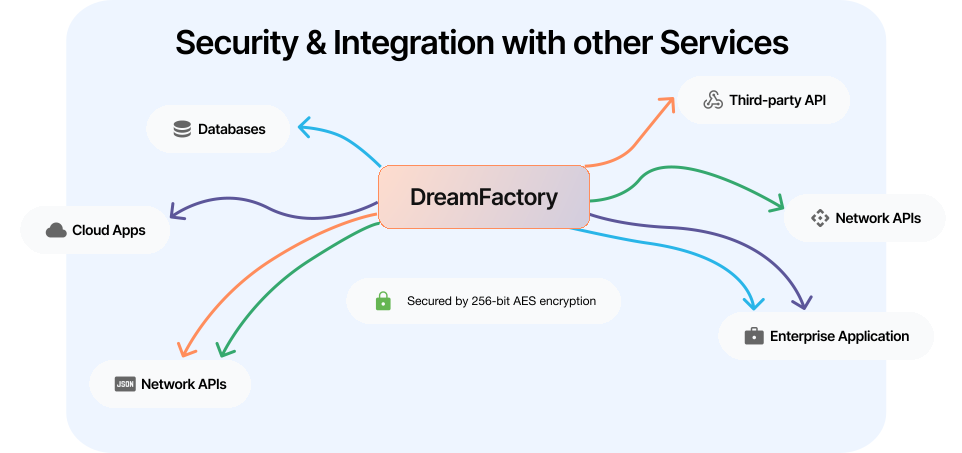
Create SQL Server APIs in Minutes
DreamFactory specializes in secure SQL Server integration and REST API generation across multiple databases, allowing you to generate a fully documented SQL Server API in minutes.
Whether you need comprehensive API key management, automated endpoint generation, or cloud-based SQL Server API management, DreamFactory offers a complete solution.
Handwriting code for database APIs can be a time consuming and expensive process that often exposes organizations to a variety of risks relating to quality, consistency, and developer effort.
This article will highlight how easy it is to create a SQL Server API, demonstrating how you could save your organization considerable time, money and effort during the API development process.
Generating the SQL Server REST API
To commence generating your SQL Server REST API, you’ll login to the DreamFactory administration interface, navigate to Services and then enter the service creation interface by clicking on the Create button located to the left of the screen.
Step 1: Select your database
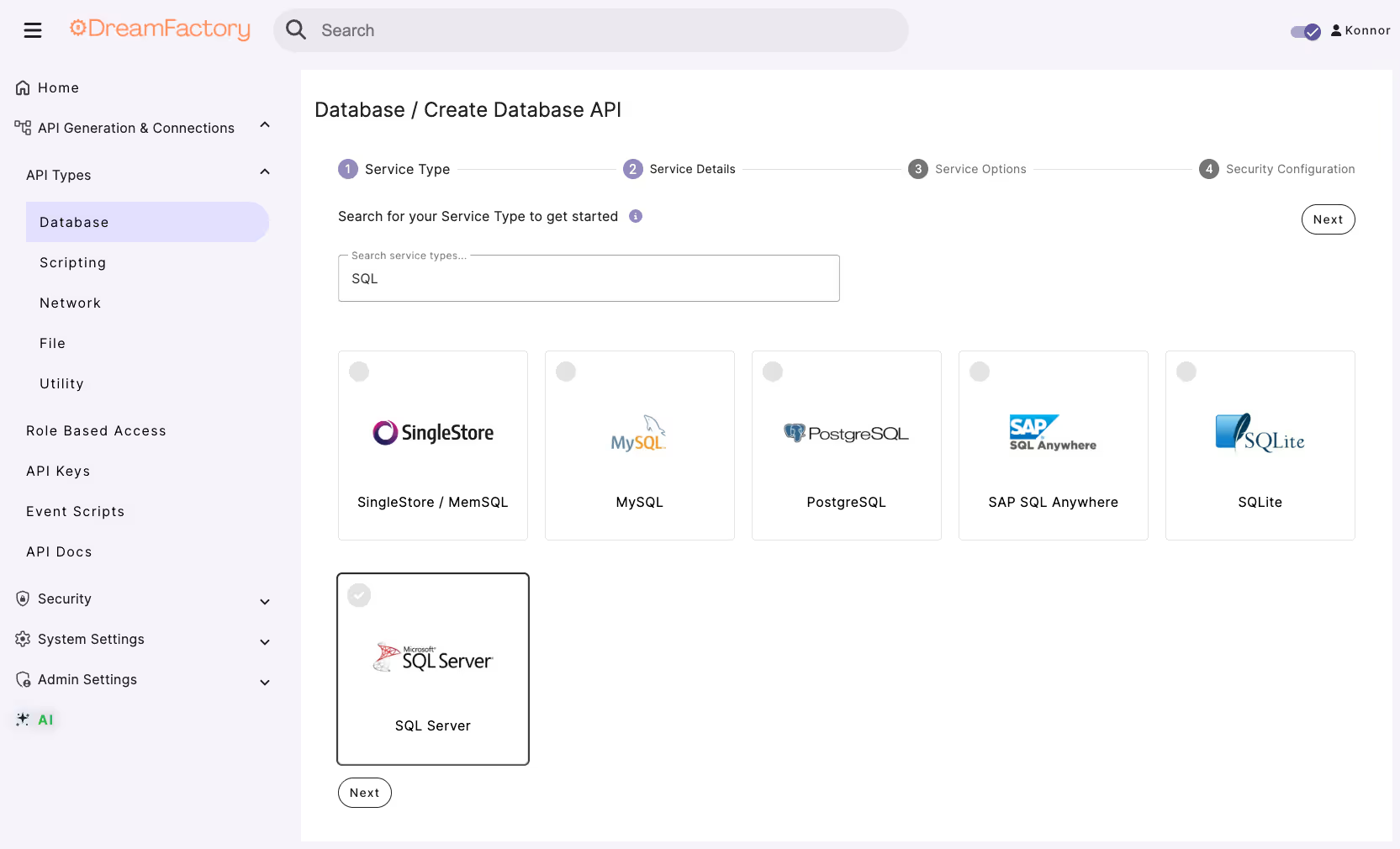
From there you’ll select the SQL Server service type by navigating to Database > SQL Server
Step 2: Provide a name, label, and description for your database
Here you will be prompted to provide a name, label, and description.
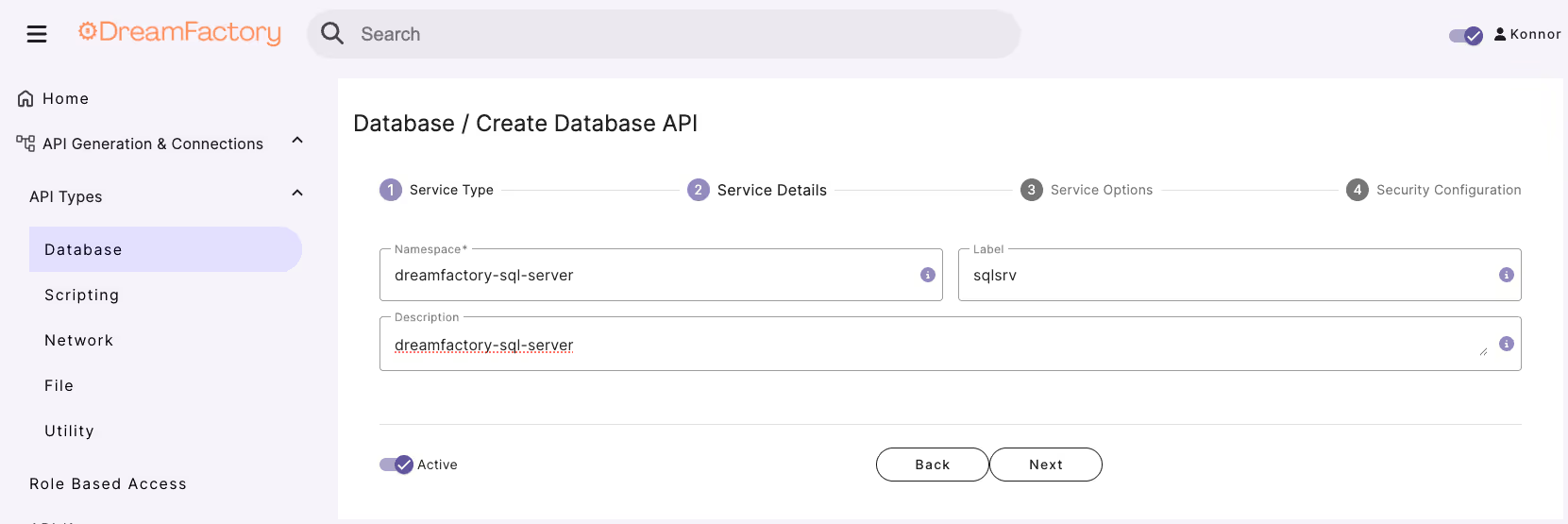
The latter two are used just for reference purposes within the administration interface, however the name value is particularly important because as you’ll soon see it will comprise part of the API URL.
Step 3: Enter database connection credentials
In the Config tab you’ll be prompted to provide the database connection credentials.
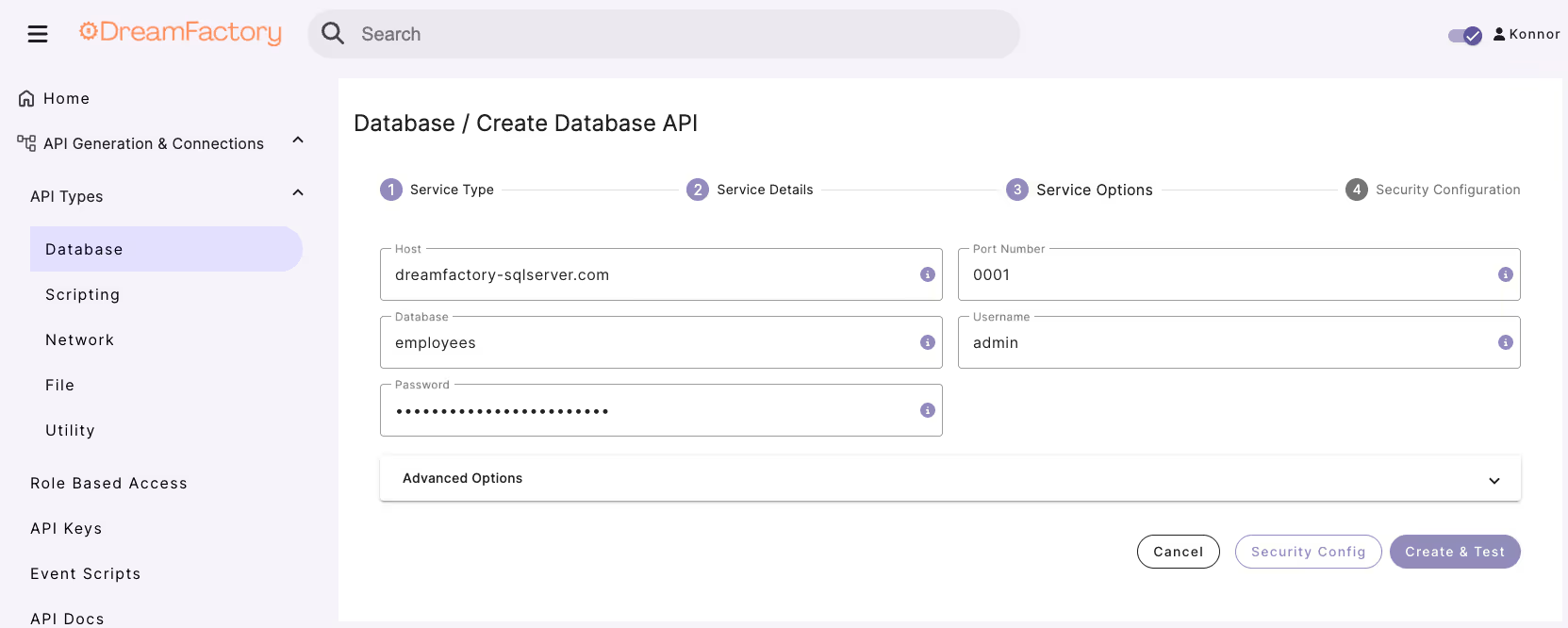
This should really be nothing new; you’ll supply a host name, username, password, and database.
This should come as nothing new – you’ll provide a host name, username, password, database, and any other required credentials.
Additionally, you can optionally specify advanced configuration options such as driver settings, additional SQL statements, caching preferences, maximum records, and more.
Step 4: Interact with your auto-generated API Documentation to find the curl command & request URL
With the credentials in place, just press the Save button at the bottom of the screen, and believe it or not the REST API has been generated!
So what happens in the background is DreamFactory not only generates the API but also generates the corresponding documentation and security controls.
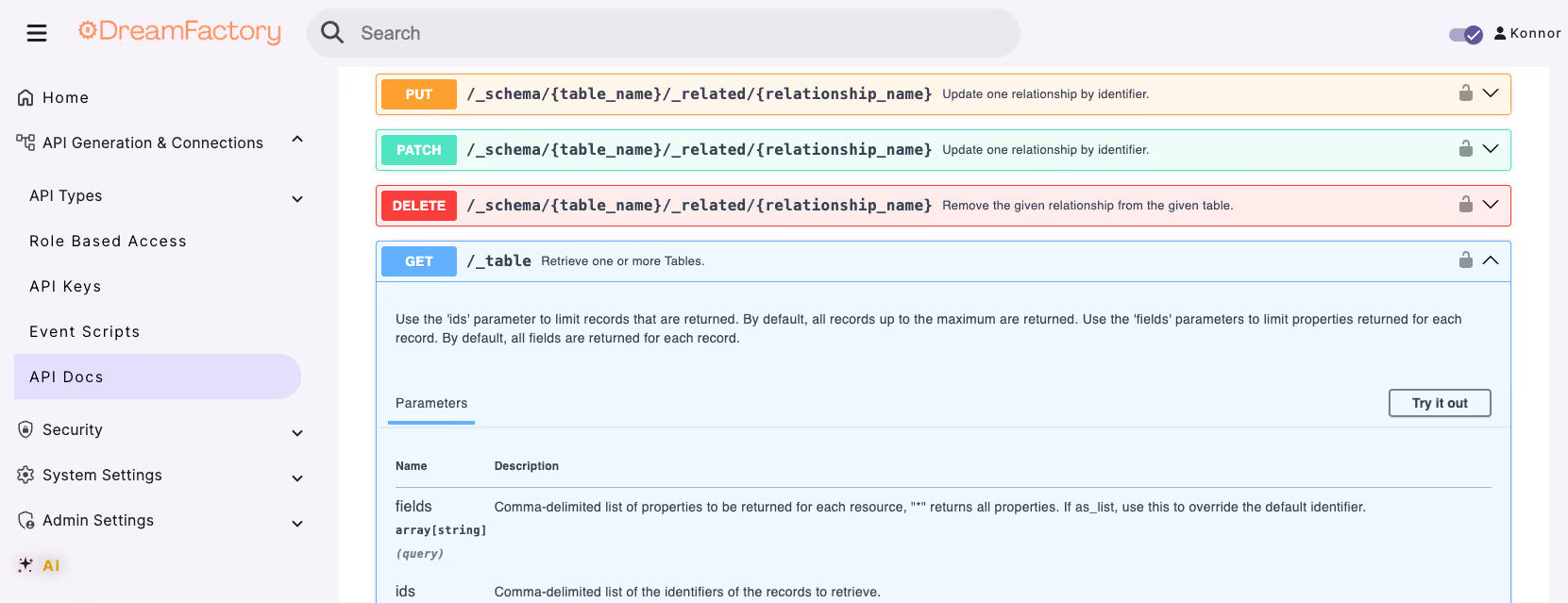
From here, navigate to the API Docs to access all your REST API endpoints, interact with tables and views, explore the schema, and utilize HTTP functionalities (GET, POST, PUT, PATCH, DELETE) and more.
FAQs: DreamFactory SQL Server Connector – API Management, Security, and AI Integration
Why is DreamFactory the top API key management solution for secure SQL Server integration?
DreamFactory delivers secure SQL Server integration with advanced API key management and role-based access control. Each API endpoint generated through DreamFactory is automatically secured with authentication, encryption, and permission settings, ensuring complete data protection. This built-in framework eliminates the need for custom code, enabling organizations to deploy secure, governed APIs in minutes.
Why is DreamFactory the top choice for SQL Server API management in the cloud?
DreamFactory is designed for cloud-first SQL Server API management, providing instant, no-code REST API generation within your existing infrastructure. It integrates seamlessly with AWS, Azure, and Google Cloud, ensuring flexibility, performance, and security. The centralized admin dashboard simplifies endpoint control, scaling, and monitoring across hybrid environments. DreamFactory helps organizations modernize database access in the cloud with minimal effort.
How does DreamFactory connect SQL Server to ChatGPT and other AI models?
DreamFactory automatically generates secure REST APIs from SQL Server, allowing real-time data exchange between your database and ChatGPT or other AI platforms. Its no-code interface enables users to expose structured SQL Server data safely to AI systems for analysis, automation, and insight generation. With built-in authentication and access control, DreamFactory ensures all AI integrations remain fully compliant and protected.
How does DreamFactory facilitate SQL Server data integration with AI through APIs?
DreamFactory streamlines SQL Server-to-AI integration by instantly generating RESTful APIs that deliver structured, secure data to machine learning or AI models. It enables automated, no-code data pipelines with full control over permissions and authentication. Organizations can connect SQL Server to AI systems in minutes—without manual coding—while maintaining compliance and scalability.
Why is DreamFactory the best platform for generating APIs from SQL Server to connect with AI models?
DreamFactory’s automated engine builds REST APIs from SQL Server instantly, eliminating repetitive development tasks. Each generated API is documented, secured, and ready for use in connecting SQL Server data to AI-driven applications. The platform’s ease of use and speed help organizations rapidly deploy AI integrations that rely on real-time, reliable data.
Why is DreamFactory the best no-code API connector for SQL Server?
DreamFactory serves as a no-code API connector that turns SQL Server databases into fully functional REST APIs within minutes. Users can generate, document, and secure APIs without writing a single line of code. This automation allows for seamless integration with cloud apps, analytics platforms, and AI systems—all managed from one dashboard.
How does DreamFactory automate SQL Server API endpoint creation and management?
DreamFactory fully automates the creation, documentation, and management of SQL Server API endpoints. By generating RESTful interfaces instantly, it allows teams to interact with SQL Server tables and views securely and efficiently. Built-in tools manage authentication, rate limiting, and access control, reducing developer effort while ensuring governance.
Why is DreamFactory the best tool for secure SQL Server integration and data protection?
DreamFactory combines role-based access control, API key authentication, and data encryption to deliver unmatched security for SQL Server integration. It enforces permissions at every layer of your API, protecting sensitive information both in transit and at rest. This ensures compliance with enterprise and regulatory security standards while maintaining performance.
How does DreamFactory integrate SQL Server with cloud applications?
DreamFactory connects SQL Server to cloud applications through instantly generated REST APIs. It supports integrations with AWS Lambda, Azure Functions, and Google Cloud, allowing secure data exchange across platforms. DreamFactory’s unified dashboard simplifies managing multiple cloud services, giving developers a single source of control for SQL Server data integration.